 5.0 on the Shopify App Store
·
Free
5.0 on the Shopify App Store
·
Free
Turn the catalog you already print into a flipbook that sells.
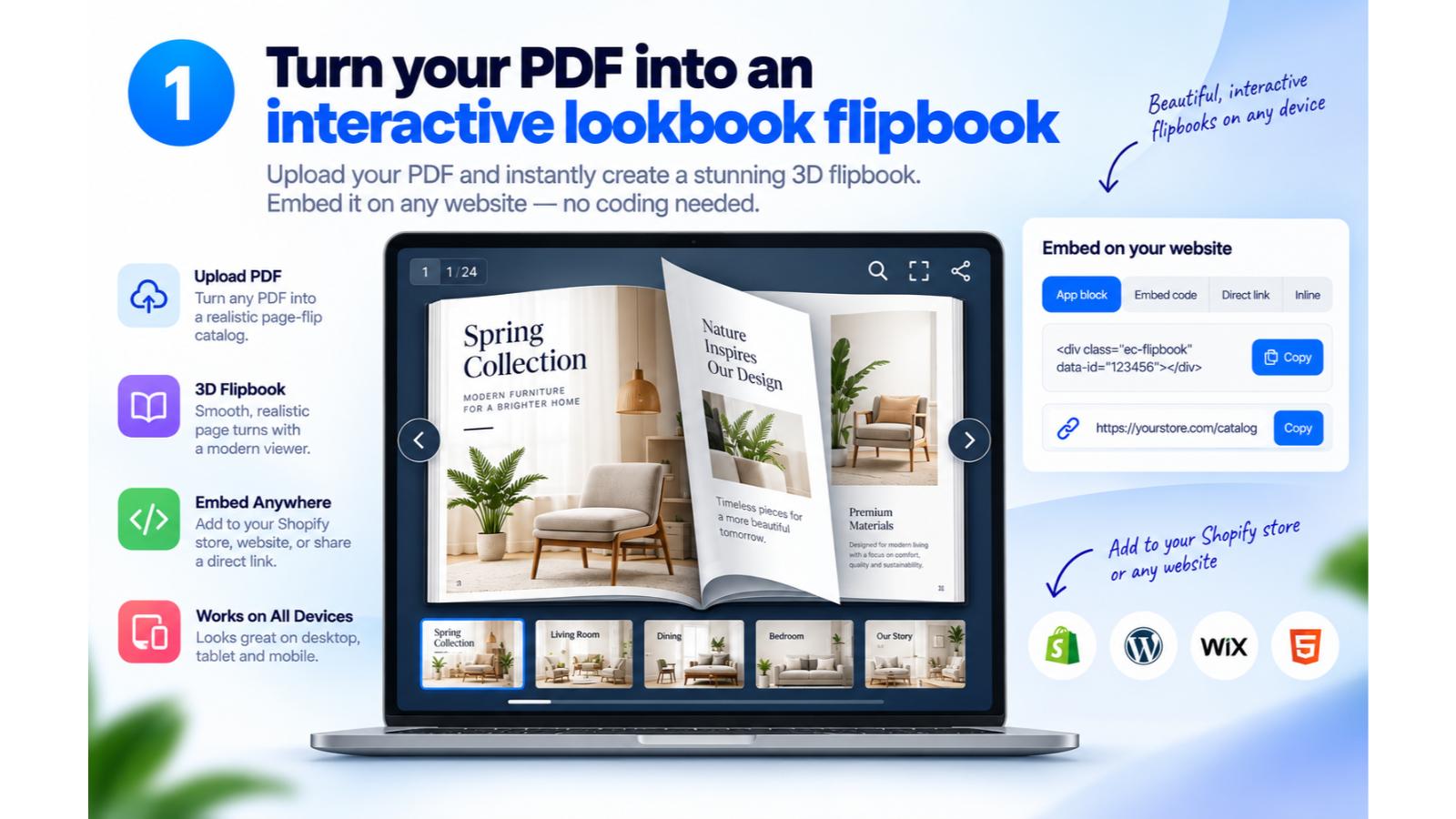
CatalogZine converts your PDF catalog, lookbook or brochure into an interactive 3D flipbook with smooth, realistic page turns — and puts Add to Cart, video and links right on the page. Share a link or embed it on any website.
Free plan — no credit card, no coding, no design tools
What it does
Everything your printed catalog couldn't do
The pages stay exactly as your designer set them. What changes is what happens when someone taps one.
A real flipbook
Smooth, realistic 3D page turns — two pages on desktop, one on a phone, exactly like holding the printed copy.
Sells while they browse
Add to Cart sits on the product itself, tied to the exact size or colour. The customer never has to go looking.
Video where the photo was
Drop in YouTube or video and it plays in place, right where the still photograph sat on the printed page.
Lives anywhere
Put it on your store, another website, in an email, or behind a QR code on the printed edition.
How it works
Three steps, one afternoon
No design tools, no developer, no coding.
Upload your PDF
The same file that went to the printer. It becomes a 3D flipbook with realistic page turns — usually before you've finished your coffee.
- Catalogs, lookbooks, brochures, magazines
- Your typography and photography, untouched
Bring the pages to life
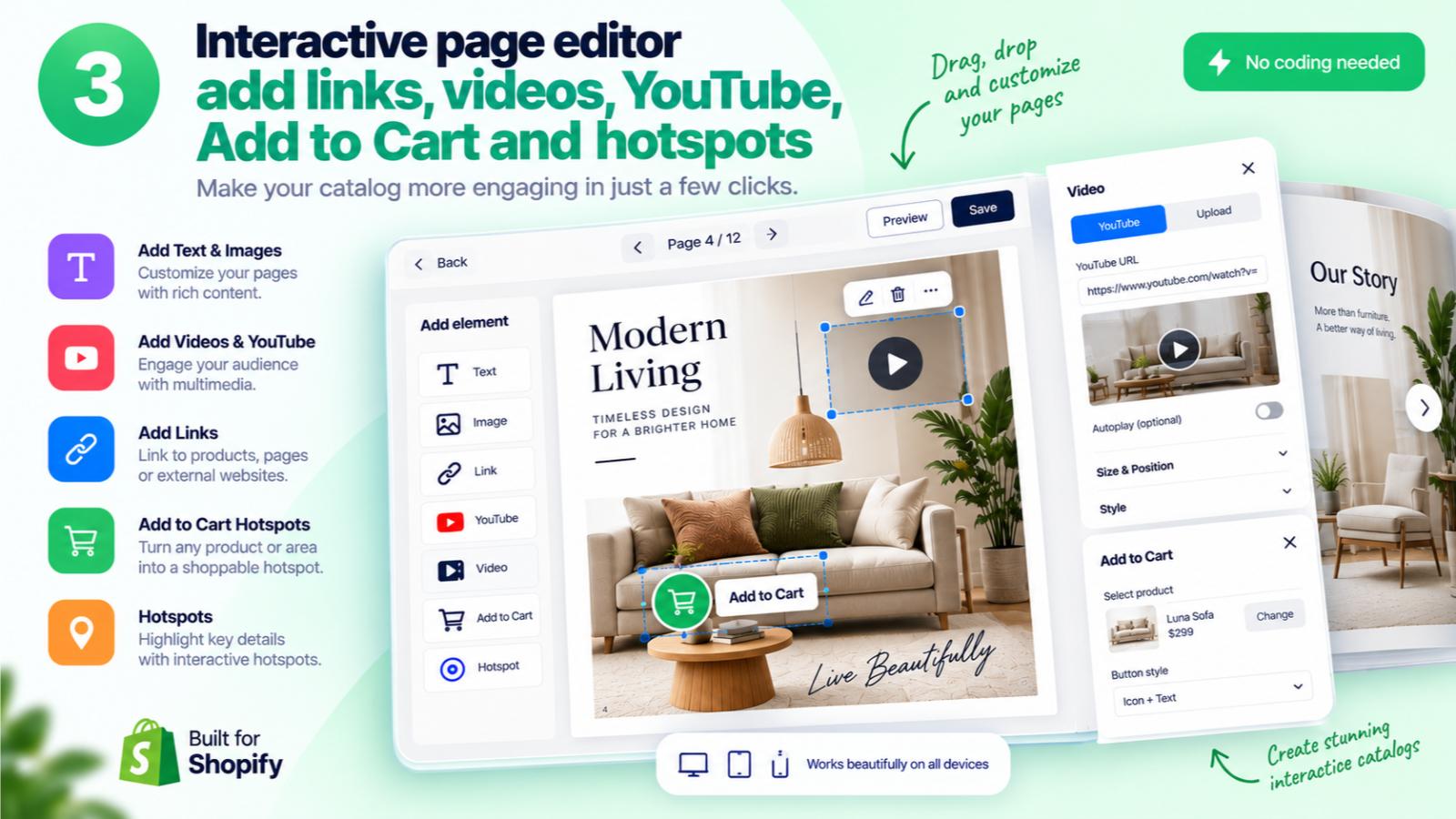
Open the page editor and drop elements straight onto the spread. Drag to position, resize to fit, style them to match your brand.
- Add to Cart, product hotspots and links
- YouTube, video and extra images
- Search your live products without leaving the editor
Share it, and let it sell
Publish and you get a link. Send it, embed it on your store or any other site, or print it as a QR code in the paper edition.
- One link, works everywhere
- Customers buy without leaving the catalog

Shoppable catalogs
Inspiration and checkout, on the same page
A printed catalog makes someone want the sofa. A CatalogZine flipbook lets them buy it before they turn the page.
- Add to Cart on the productTied to the exact variant, so the right size and colour go in the basket.
- Hotspots for the full storyTap through to the product page when someone wants a swatch, a size chart or a review first.
- Your store, your checkoutEverything goes through your own shop, in your own currency. Nothing is rented from us.
- Just as good on a phoneOne page at a time, buttons sized for thumbs, the same catalog either way.
Catalog+magaZINE
A catalog is the PDF you already send to print: fixed, flat, finished the day it ships. Beautiful — but nothing in it can be tapped, and nothing in it can be bought.
A zine is the second half of magazine — the thing people actually leaf through. That's the half CatalogZine gives your catalog back.
Made for
If it goes to print, it can go interactive
Pricing
Free, and that's the whole plan
One plan. No tiers, no trial clock, no charge per view.
$0/ month
- Unlimited catalogs and pages
- 3D flipbook with real page turns
- Add to Cart, hotspots, video and links
- Embed on any website
- No credit card, no trial countdown
A small number, honestly reported. Both reviews are public — read them on the App Store.
Questions
Everything else
What does CatalogZine actually do?
It takes a PDF catalog and turns it into an interactive 3D flipbook — a web page your customers open, leaf through with realistic page turns, and buy from. You then add Add to Cart buttons, links, video and hotspots wherever you want them on the pages.
Do I need to design anything?
No. You upload the PDF you already send to print and the pages come across exactly as they were designed. The only thing you add is the interactive bits, and that's drag and drop.
Can customers really buy from the flipbook?
Yes. Add to Cart buttons sit on the products themselves and are tied to the exact variant — the right size, the right colour. Everything goes through your own store and your own checkout.
Where can I put the flipbook?
Anywhere. Embed it on your Shopify store, on another website, send the link by email or social, or print it as a QR code in the paper edition so a printed catalog leads straight to a shoppable one.
What can I add to a page?
Five things: Add to Cart buttons, product hotspots that open a product page, YouTube videos, extra images, and links — to a URL, a product, or another page of the catalog. Each one can be styled to match your brand.
Does it work on phones?
Yes. Desktop shows a two-page spread the way the catalog was designed; phones show one page at a time with buttons sized for thumbs.
How much does it cost?
Nothing. CatalogZine is free on the Shopify App Store — no credit card, no trial countdown, and no charge based on how many people view your catalog.
What kind of PDF should I upload?
Whatever you already have — a product catalog, a seasonal lookbook, a magazine, a brochure, a menu. If it was laid out for print, it will work.